

You can have the best tools and smartest outreach strategy in the world, but if reps are lacking structure and can’t find their most important stuff in a few clicks, the day slips into email-scrolling and random “busy work.”
Below is the simple set-up I roll out when we launch colour-coded focus blocks for sales teams:
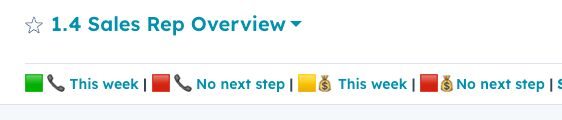
🟩 Green = Schedule meeting (outbound outreach to set meetings with new prospects)
🟨 Yellow = Close sale (scheduled sales meetings, meeting & deal follow-ups)
🟥 Red = Quotes, admin, research, list-building
📞 = Contact based views
💰 = Deal based views
AEs run one Green block (1 h) per day, SDRs run two.
During Green there is exactly one job: reach out. No list-building, no catching up on Slack.
The views below make disciplined and focused outreach easy(er).
1. 🟩 📞 New / Attempting (today)
Prospects you're trying to book a meeting with but haven't yet connected with
Filters
- Contact owner = me
- Lead status = New OR Reaching Out
- Recent conversion date = today OR Next activity date = today
Why it matters
- Reps open the CRM at the start of their workday, click this view, start dialling. Zero thinking required.
2. 🟨 📞 Next step this week
Prospects you've connected with but not yet converted to an opportunity/deal
Filters
- Contact owner = me
- Lead status in your active “in-progress” stages
- Next activity date = this week
3. 🟥 📞 Missing next step
Filters
- Contact owner = me
- Lead status NOT IN inactive stages
- Next step is unknown OR Next activity date is unknown
If this list grows, pipeline hygiene is slipping. Make sure your team adds admin blocks and plan next steps before they log off.
4. 🟨 💰 Next step this week
Same idea as #2, but on the deal object so opps don’t stall.
Filters
- Deal owner = me
- Next activity date = this week
5. 🟥 💰 Deals missing next step
Filters
- Deal owner = me
- Is open = true
- Next activity date = unknown
6. 🟥 🕒 Activity last 24 h – end-of-day sanity check
Quick notes after each call is enough.
Excessive follow-up planning and admin during prospecting blocks is a key driver for poor prospecting performance. This view will help to "not worry about it" until they are in an admin block.
Filters
- Contact owner = me
- Last contacted < 1 day ago
- Next activity date is unknown
- Lead status NOT IN inactive stages (E.g., Disqualified or Closed Lost)
Check this view as part of your admin-block. Update status, schedule next steps, or disqualify.
What “good” looks like by week two
- Every rep answer “Where do I start my day?” the same way
- Reps have ≅30 prospects queued up per call block (for the next day)-> you might want to start with around per call block and adjust based on the pickup-rate
- <25% of open leads & deals are missing a next activity date
Hit those three and both adoption and reporting take care of themselves.
.png?width=630&name=Untitled%20design%20(14).png)