

Sales reps waste a shocking amount of time chasing bad contacts due to poor data quality.
A big culprit is incorrect phone numbers.
But I have never encountered a company that has a structured way to deal with this.
But each time you dial a wrong number or generic line, you’re flushing away your most precious resource: time.
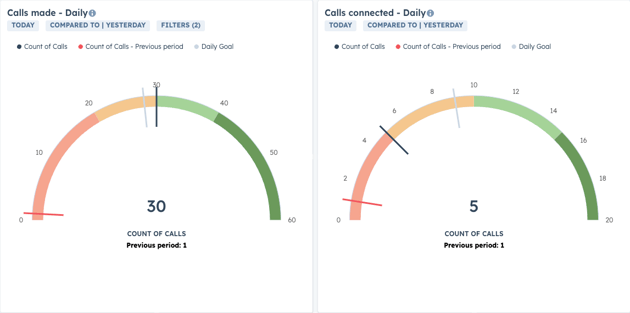
With no clear way to prioritize leads, it’s easy to end up with a one-hour call block that yields just 5 dials instead of the 30–40 you need to aim at to maintain high prospecting efficiency and a healthy top of funnel.
So how do you increase the effectiveness of your call block?
One thing is for sure, it's not by going into your CRM, starting from the top, and mindlessly work through a list of contacts with no plan or prioritization.
My preferred way is a combination of lead scores and tags (for visualization).
With this system, reps would have access to a database of ranked prospects to add to their call queue.
And when they have their call blocks, they start with the highest quality leads.
For the reps, it could look something like this in the contact view.
But I'd always customize it to their situation. In this case, as it's our portal and we want to know if a prospect is using HubSpot, we have this as one of the tags (HS).
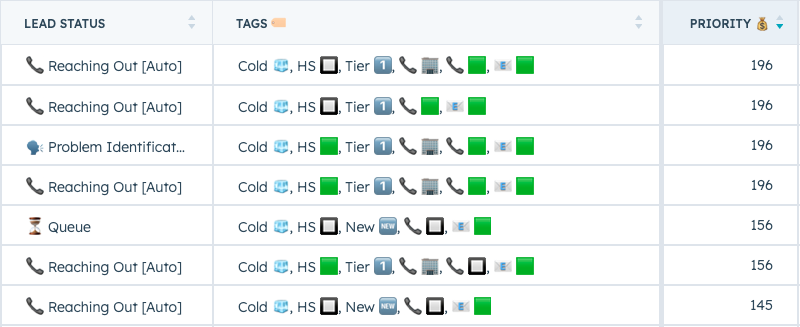
With this approach you can see who’s worth calling, while low-quality leads get filtered out and assigned for enrichment or follow-up later.
We want the reps should spend as much time as possible on the high-quality stuff, and as little time as possible scraping the bottom of the barrel.
So what about those bad numbers?
We can get numbers from various sources, but we should ideally not start with having the reps manually find the numbers through manual research and calling gatekeepers as step 1.
It's generally needed to get hold of those hard-to-reach people, but it's not where to start.
Instead, we'd utilize next generation prospecting tools to build lists of companies and contacts, and use waterfall enrichment to get those phone numbers into the CRM.
But people change numbers and the databases are not 100% correct.
So we need to establish a clear feedback loop to weed out incorrect numbers and avoid spending time calling them again on that number.
A simple way to do this is using the call & meeting type property.
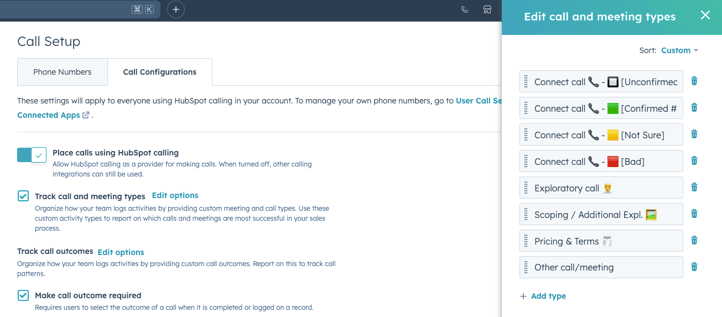
The reps can then use this when they log their calls, and just like that, you've systemized one of the big time sinks for outbound prospecting.
When the property is used, we'll also add it as a tag so reps can see that they are calling a verified (or unverified) number.
And the best part? As it's easy accessible it required very little effort to implement and adds value to the reps (so they will use it).

My preferred way of organizing the feedback loop is based on the structure Jeb Blount (Fanatical Prospecting) recommends. In his book, he outlines four options to use:
Unconfirmed
The number may be valid, but you’ve only hit a generic voice mail. Most people don’t update their voice mail message, so most dials would end up in this bucket today.
Confirmed
You’ve reached the actual person or a personal voice mail. Tag that number as valid. For repeat calls after the initial verification, use the same option for simplicity's sake.
Not Sure
Strange tones or a non-standard message. Mark it as “yellow” and pay attention. If it happens again, escalate it to red (we'd generally automate this so it moves to red automatically the second time).
Red
Bad, non-direct, or invalid number. Don’t waste another second. Have a workflow clear that number and reduce the lead’s score, saving you and your team future headaches.
Up next
In the upcoming posts, I'll dive deeper into the setup and walk you through how to set up the automation, the lead quality & lead priority score, not to mention the tags that will help your reps prioritize leads at a quick glance.
I'll also show you how to set up specific prospecting views to increase the overall sales efficiency of your sales team, and prevent many of the time sinks we see reps falling into.
Stay tuned ;)