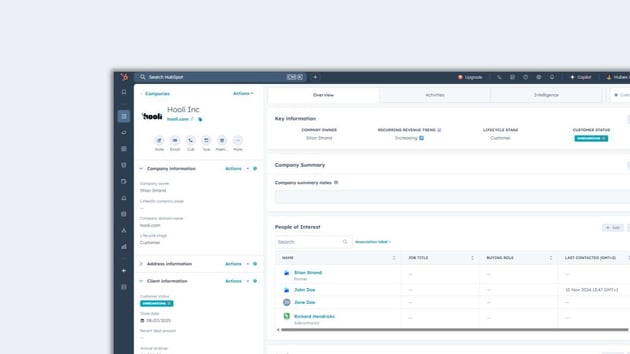


Data integrity is the bedrock of any effective CRM system. Clean, consistent data ensures accurate reporting, targeted marketing, and efficient sales processes. HubSpot CRM, while powerful, benefits immensely from robust data validation, and regular expressions (regex) offer a flexible and powerful way to enforce data standards.
Regex allows you to define specific patterns that input data must match, preventing common errors like typos, incorrect formats, or missing information. By implementing regex for data validation within your HubSpot properties, you can significantly improve data quality, streamline workflows, and enhance the user experience for your team.
Read more about how to get started with regex validation in HubSpot here -> Guide to data validation in HubSpot with Regex
Here are 5 examples of regex statements that can be incredibly helpful for data validation within HubSpot CRM, along with explanations and their ideal use cases:
1. Validating a Standard Email Address
How it works
This regex is a widely accepted standard for email validation. It checks for:
- A string of alphanumeric characters, periods, underscores, percentage signs, plus signs, or hyphens before the "@" symbol.
- An "@" symbol.
- A string of alphanumeric characters, periods, or hyphens after the "@" symbol (the domain name).
- A period.
- At least two alphabetic characters for the top-level domain (e.g., .com, .org, .net).
When to use
Essential for any email address property in HubSpot (e.g., "Contact Email," "Company Email"). It prevents malformed email addresses that would lead to bounced emails and ineffective communication.
2. Validating a Website URL
How it works
This comprehensive regex validates various URL formats, including those with or without "http(s)://" or "www." It ensures a valid domain and top-level domain.
When to use
For any property that stores website URLs (e.g., "Company Website," "link to social profile"). This prevents broken links and ensures that website information is accessible.
3. Validating an Alphanumeric String (No Special Characters)
How it works
This regex allows:
-
One or more alphanumeric characters (
a-zA-Z0-9). -
Spaces (
\s).
When to use
For properties that should only contain letters, numbers, and spaces, like "Product Name," "Internal ID," or "Department Name." This prevents erroneous special characters from being entered.
4. Validating a Numeric Value (Integers Only)
How it works
This regex only allows:
- One or more digits (\d+).
When to use
For properties that should strictly contain whole numbers in a normal Single-line text property, such as "product ID" or "client reference". This ensures accurate numerical data for calculations and reporting.
5. Validating a Capitalized String (e.g., "New York")
How it works
This regex ensures:
-
Each word starts with an uppercase letter (
[A-Z]). -
Followed by zero or more lowercase or uppercase letters (
[a-zA-Z]*). -
Allows for multiple capitalized words separated by a single space (
(?:\s[A-Z][a-zA-Z]*)*).
When to use
For properties where you want to enforce a capitalized format, such as "City," "State," or "Lead Source." This improves consistency and readability.

Conclusion
Implementing regex for data validation in HubSpot CRM is a powerful step towards achieving superior data quality. By leveraging these examples, you can proactively prevent common data entry errors, enforce consistent formatting, and ultimately build a cleaner, more reliable CRM database. This not only improves reporting and analysis but also enhances the overall efficiency and effectiveness of your sales, marketing, and service teams. Invest in robust data validation, and your HubSpot CRM will become an even more valuable asset.