

At Hubex, we're quite obsessed over building a lean and effective team.
Both for us, and enabling our clients to do the same.
A big part of this is helping each team member spend more time on their highest-impact work and less time on everything else.
But last week, I almost got caught up doing exactly the opposite.
We're currently using AI for prospecting in our outbound outreach.
However, tools like Clay only find contacts for about 50% of the accounts we're interested in, meaning some manual research is unavoidable.
And since getting banned from LinkedIn isn't my idea of fun (even if it's just a 1% chance, that's a risk I'm not willing to take), some elbow grease is needed.
Initially, I planned two "power hour" blocks each week to manually prospect contacts on LinkedIn.
I'd pull up accounts from our HubSpot CRM, use the LinkedIn handle we already had, and enrich the account using the Surfe plugin.
But then I caught myself.
This is not what I should spend my day doing.
Delegate the low-impact tasks
Instead, we could easily delegate this to a Virtual Assistant (VA), freeing my time for higher-impact tasks that better utilize my skillset.
Back when I was an intern at an investment bank in London, we had a dedicated research team.
I'd simply request the information I needed, and they'd deliver it within an agreed-upon timeframe.
It was efficient and let me focus on more valuable tasks (read: spending hours making sure all pixels were exactly aligned on every slide using the 4800% zoom).
So why not create a similar system in HubSpot?
How to set up your own research delegation workflow in HubSpot
Here's a simple three-step workflow we're implementing:
Step 1: The trigger
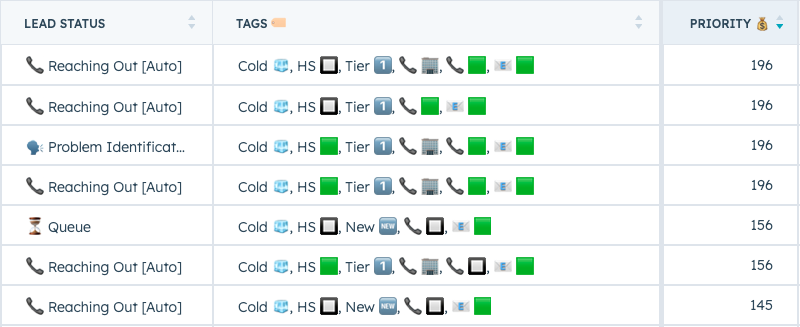
When a new company matching our Ideal Customer Profile (ICP) tier is added to our CRM, it appears in my prospecting view.
I then select the best accounts (usually 50-100 at a time) and create tasks in bulk with the title "#prospecting."

Step 2: Delegate to your VA
Next, we check if there are already contacts associated with these accounts.
If there aren't, the account automatically gets added to a simple Google Sheet shared with our VA (you could also integrate with your project management tool if that floats your boat).

The VA then uses the LinkedIn URL provided, navigates to the company page, finds the agreed-upon roles, and adds these contacts to our CRM using the Surfe plugin.

Step 3: AI enrichment
We use a custom AI summary to create a profile for each contact we want to contact. We use this to generate a custom call script and custom follow-up emails.
To make this efficient, we'll just set up a simple workflow to trigger this enrichment once a contact is added through the Surfe integration (we add the name and url, plus email/phone if available).
Note: I create a task for myself in this workflow. That's just for me to validate the initial work from the VA before I get more hands-off and let them do their thing.
Note 2: The [missing "sv...] is just HubSpot's way of trying to be funny while I try make a blog post.

And there you have it.
With this simple workflow, I'm freeing up two extra hours per week—time previously spent on low-impact prospecting.
I can now use that time for additional sales calls, leading to roughly 15 extra conversations and potentially 1-2 more meetings each week.
If we assume an LTV of €30,000 with a 25% close rate on the meetings set, that's a pretty neat potential ROI from a small investment in a VA.
Plus, I get to spend more time doing what I genuinely enjoy, which means I'll keep getting better at it.
So if you ever find yourself stuck doing tasks that don't match your skillset or distract you from your highest-impact work, maybe it's time to delegate and elevate 🏄♂️.
.png?width=630&name=Untitled%20design%20(14).png)